The Reference Tool that Belongs in Every Painter's Browser
Notana is a browser extension that analyses value relationships, compositional structure, and colour interactions so you can understand any reference photo the way a painter needs to.
4.8/5





Notana
Image Tonal processor
- Upload
- Value
- Shapes
- Composition
- Color
- Edges
Using Images from Photo Services
- Scan Web Page
- Upload Files
- Load From URL
- Use a Camera Photo
Image Extracted



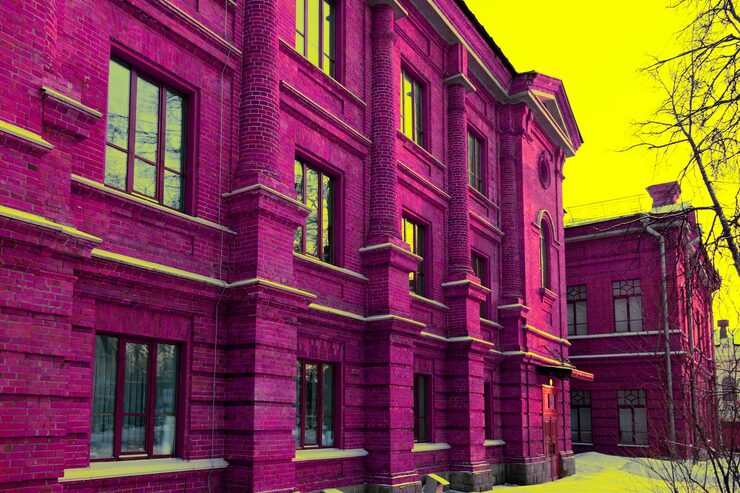
Understanding Light & Dark in Your Art
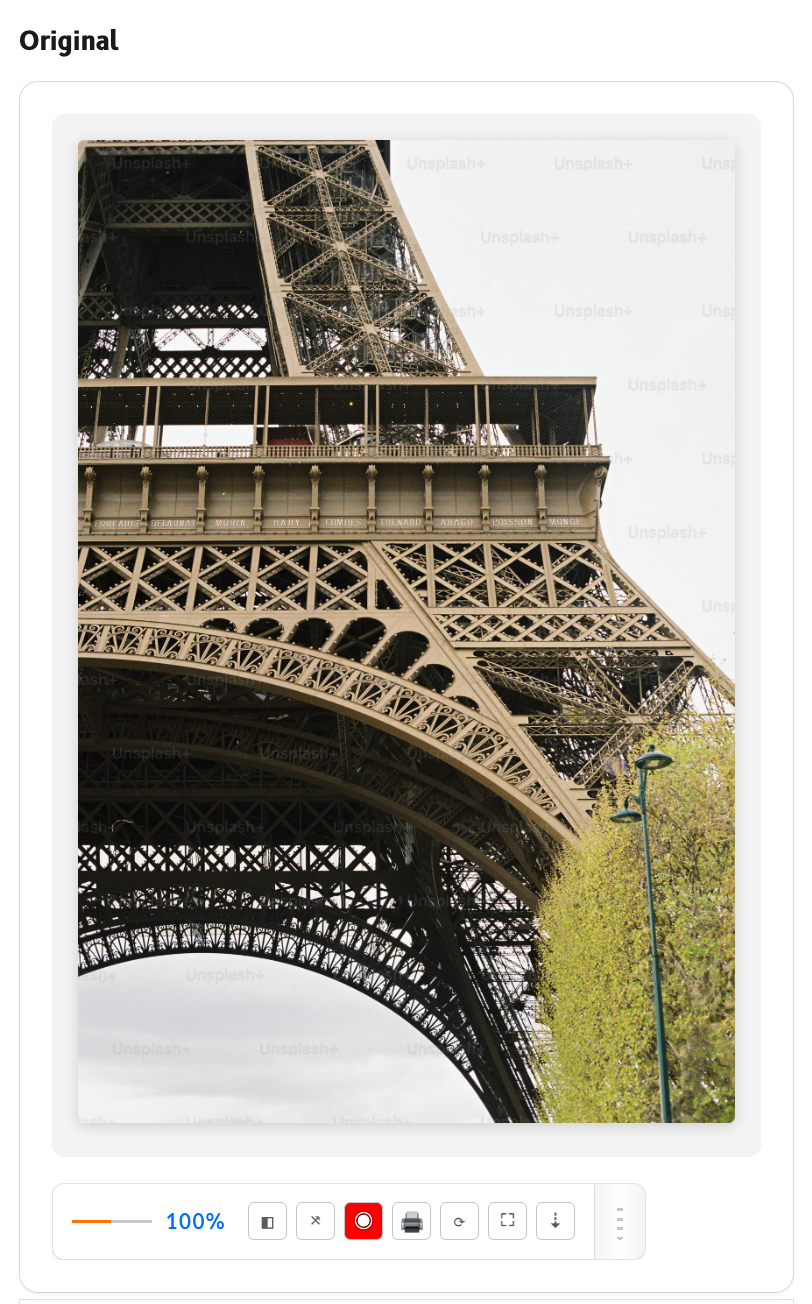
Original

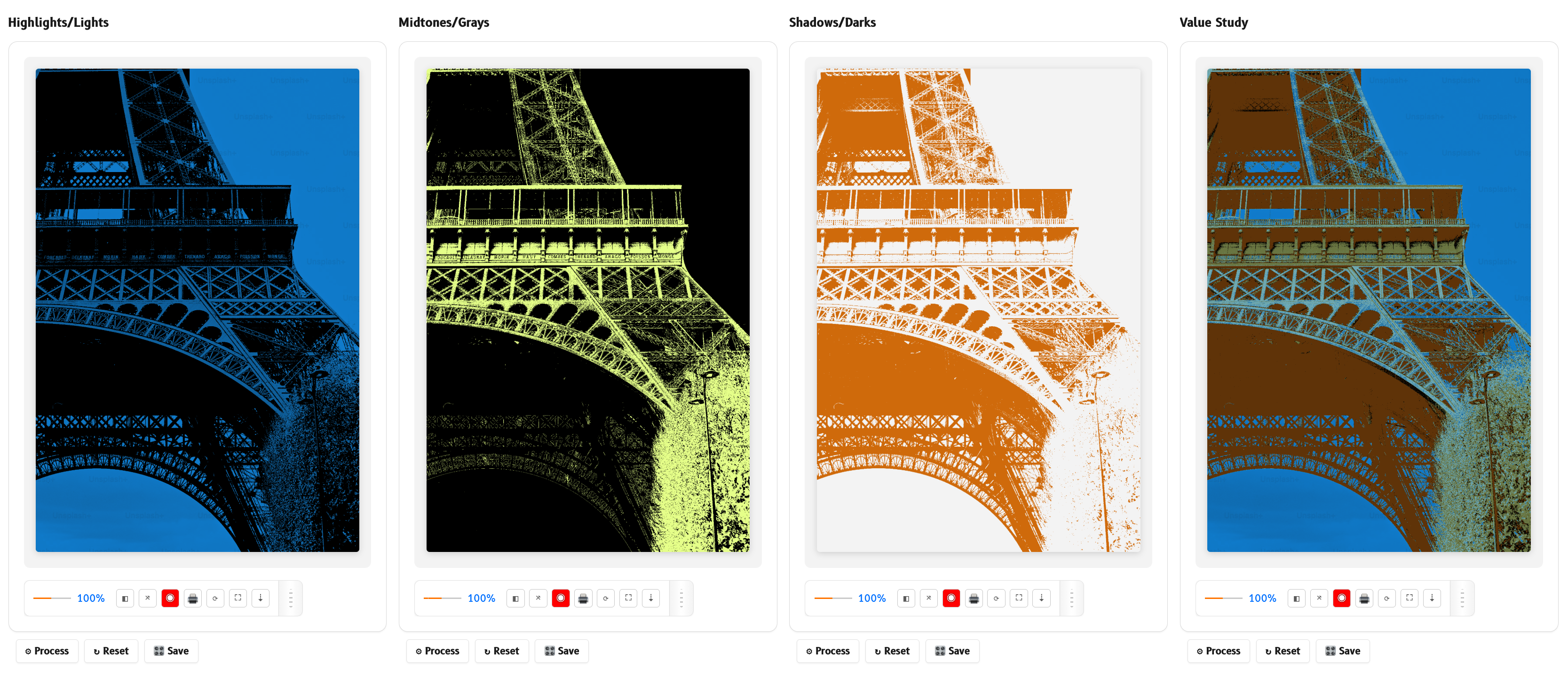
Highlights/Lights

Midtone/Grays

Why Notana
Built for painters who are tired of squinting at reference photos
Colour photos hide values, and most tools out there are either unaffordable, clunky desktop software, or ignore what a painter actually needs.Notana changes that — instant analysis that complements your process, never replaces it. Free to use, no bloat, just the language you already speak.
Instant analysis, right where you work
Open any reference photo in your browser. Click Notana. Instant value, shape, color and composition anaylsis appears - no waiting and no uploads, fast and efficient.
Purpose-built for painters, not generalists
Notana goes straight to the point revealing useful tools that a painter actually needs, no histograms, no curves, no developer jargon. Built by a painter for other painters.
Every tool free, no bloat, no desktop software
Notana is lightweight, fast and built for painters who want simplicity. Every tool is free to use and stays that way — nothing is locked behind an upgrade. If you want your settings carried across your devices there is an optional yearly subscription — settings only, never your images — but it is not required and Notana is complete without it. Nothing else to install except the browser extension.
Notana takes your understanding of art to the next level
Whether you're a student just starting out or a professional with years at the easel, Notana sharpens the way you see values, shapes, colour, composition. These tools don't replace your training; they accelerate it.
Who Notana is For

Figure drawing Students
You're learning proportion and anatomy. Notana helps you see value masses and simplify the body into paintable shapes before you even pick up charcoal.

Portrait Artists
You check alignments and value structures. Notana lets you instantly compare your reference’s light patterns and shadow shapes without losing your flow.

Plein air painters
You simplify complex scenes. Notana breaks down a landscape, cityscape, or sky into clear value groups and composition grids before the light changes.

Art students
You practice classical techniques. Use Notana like a digital notan study or value sketch, right alongside your atelier exercises.

Sketch artists
You improve your observational skills. Notana trains your eye to see relationships, not just outlines, with instant feedback on every reference.

Art teachers
You demonstrate composition principles. Project an image, overlay golden ratio grids, and show students exactly how master paintings are built.

Digital Artists
You work with layers, brushes, and tablets. Notana helps you analyse reference photos for values, shapes, and colour harmony so you can paint more confidently in any software.
One Stop Solution
Powerful Features that Makes Notana Stand Out
Every feature in Notana starts with a simple question: what does a painter actually need to see? The answer is never a histogram or a curve. It's clear, visual feedback that helps you understand your reference photo faster.
Value Analysis Tools
Strip away colour to see the true light and dark structure. Group similar values together, or posterize the image into 3–5 clear value masses, just like a notan study. Know exactly where your darkest darks and lightest lights live before you mix a single colour.
Shape Analysis Tools
Simplify any complex reference into large, paint‑able shapes. The block‑in generator turns the image into geometric facets, perfect for transferring to canvas. Edge detection reveals hard and soft transitions. Shape massing shows you the silhouette language of your subject.
Color Analysis Tools
Extract a dominant palette of 5–7 colours directly from your reference. Then see how they relate, whether complementary, analogous, or triadic, mapped onto the image. Understand temperature and saturation without guesswork. Mix with confidence.
Composition Tools
Overlay classic composition guides onto any reference. Rule of thirds for quick cropping decisions. Golden ratio spiral or grids for more dynamic balance. Adjust opacity and line colour. See why a master painting works or fix your own reference before you start.
Explore Notana's Key Features
A step-by-step guide to understanding your reference photo like never before
Image Tower attributed to @tanyabarrow1. Get an image into Notana
There are a couple of ways you can bring any reference photo into Notana. All methods are instant, private and keep your images on your machine.
Right-click any image on the web
Find a reference online? Right‑click it and choose “Analyze with Notana.” The panel opens instantly with that image loaded.
Upload your own file
Click the upload button inside Notana’s panel. Select a JPG, PNG, or WebP from your computer. Perfect for your own photos or scanned studies.
Scan the current web page
Click the Notana browser icon, then select “Scan page.” Notana finds all images on the page and lets you pick which one to analyse. Great for museum archives or image‑heavy references.
2. See value levels and groupings
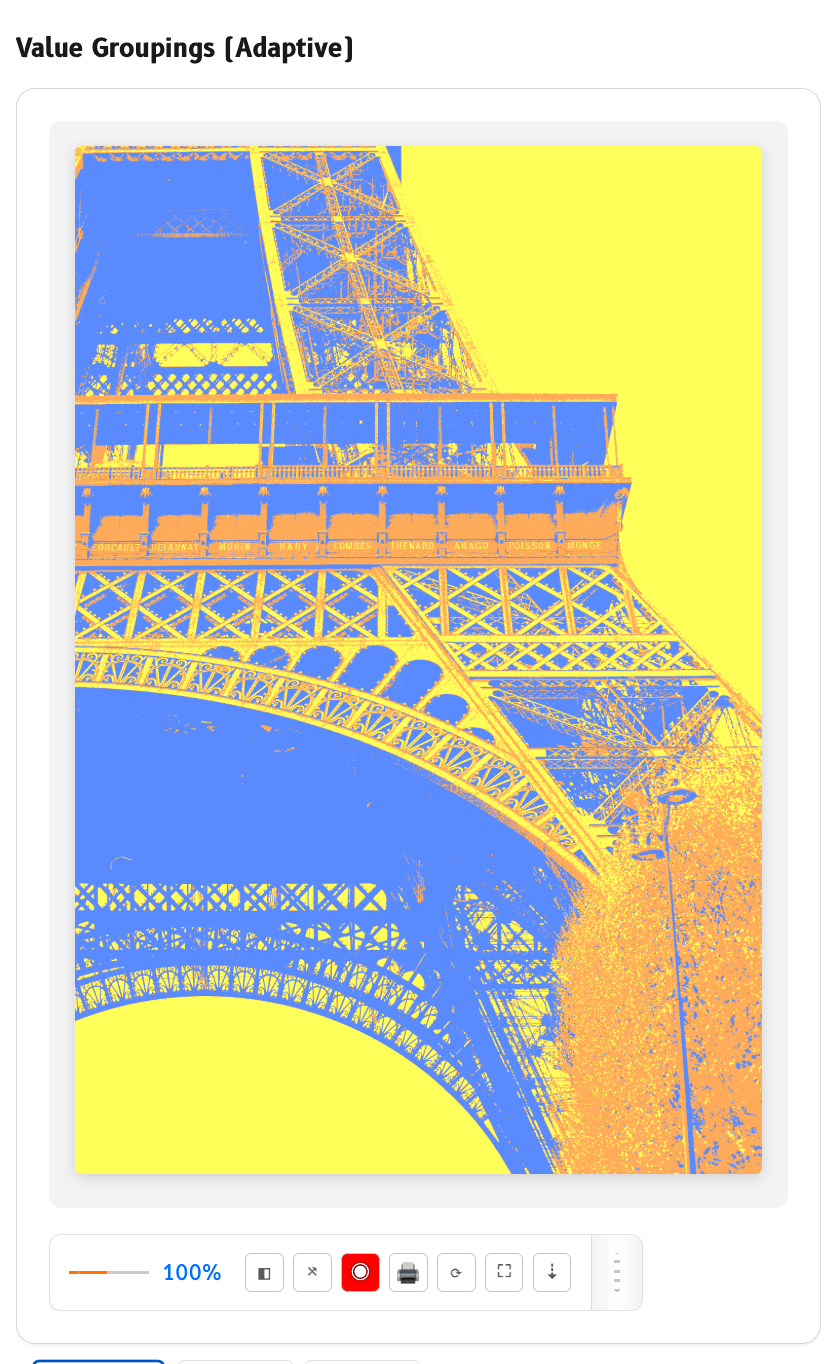
Click the Value button. Notana converts the photo to grayscale so you see pure light and dark. Then it shows you value groupings, breaking the image into distinct bands like a notan study. You can choose 3, 4, or 5 groups. Dark shadows become one mass, midtones another, highlights another. You will know exactly where your darkest darks and lightest lights live.
3. Shape block-in generator
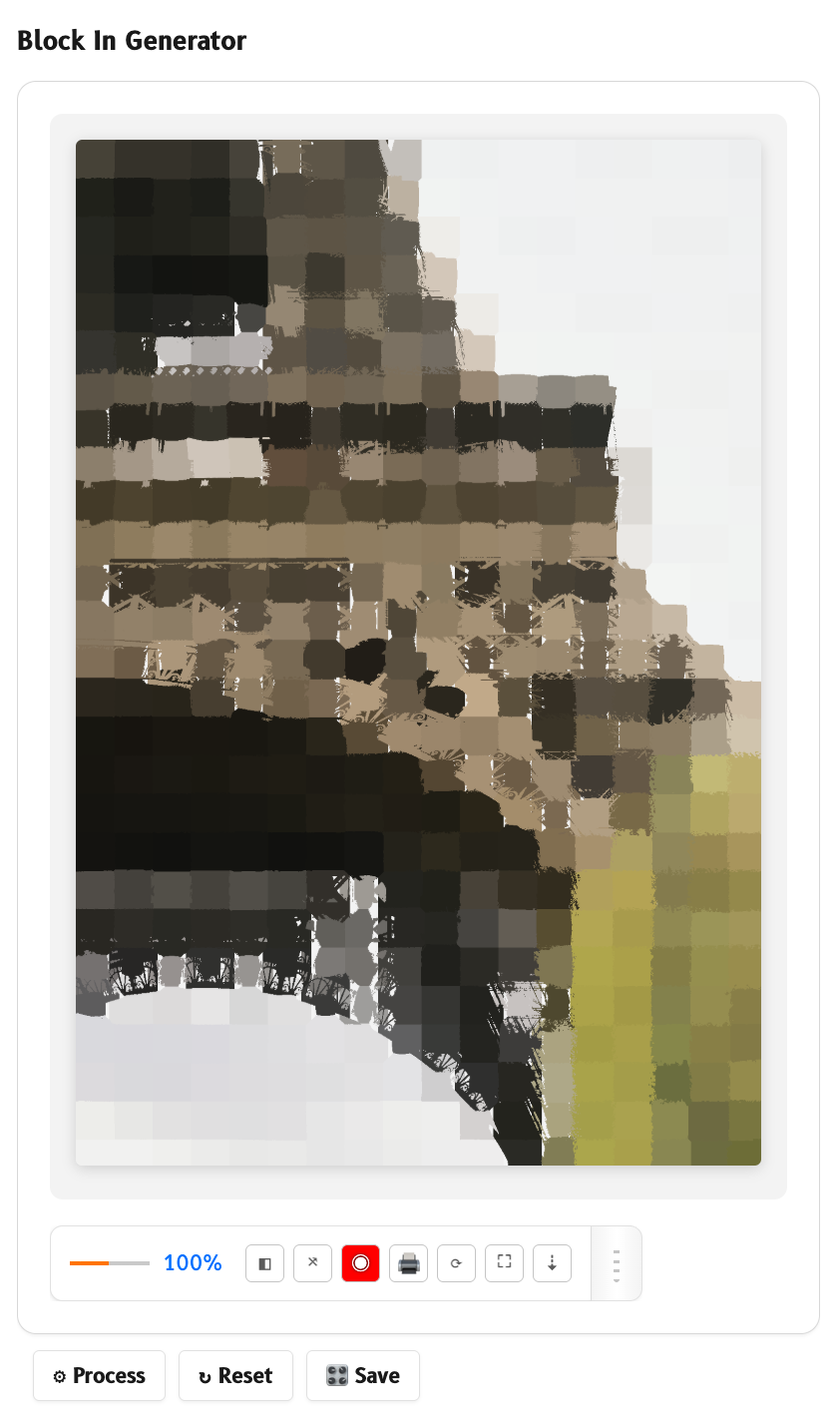
Click the Shape button. Notana turns the image into large geometric polygons overlaid on the original. This is the block‑in generator. It helps you see the figure or object as simplified planes, perfect for transferring to canvas. You can also view shape massing, which shows the silhouette language of your subject.
Adequately learn how to simplify complex references into paint-able shpaes before worrying about details.
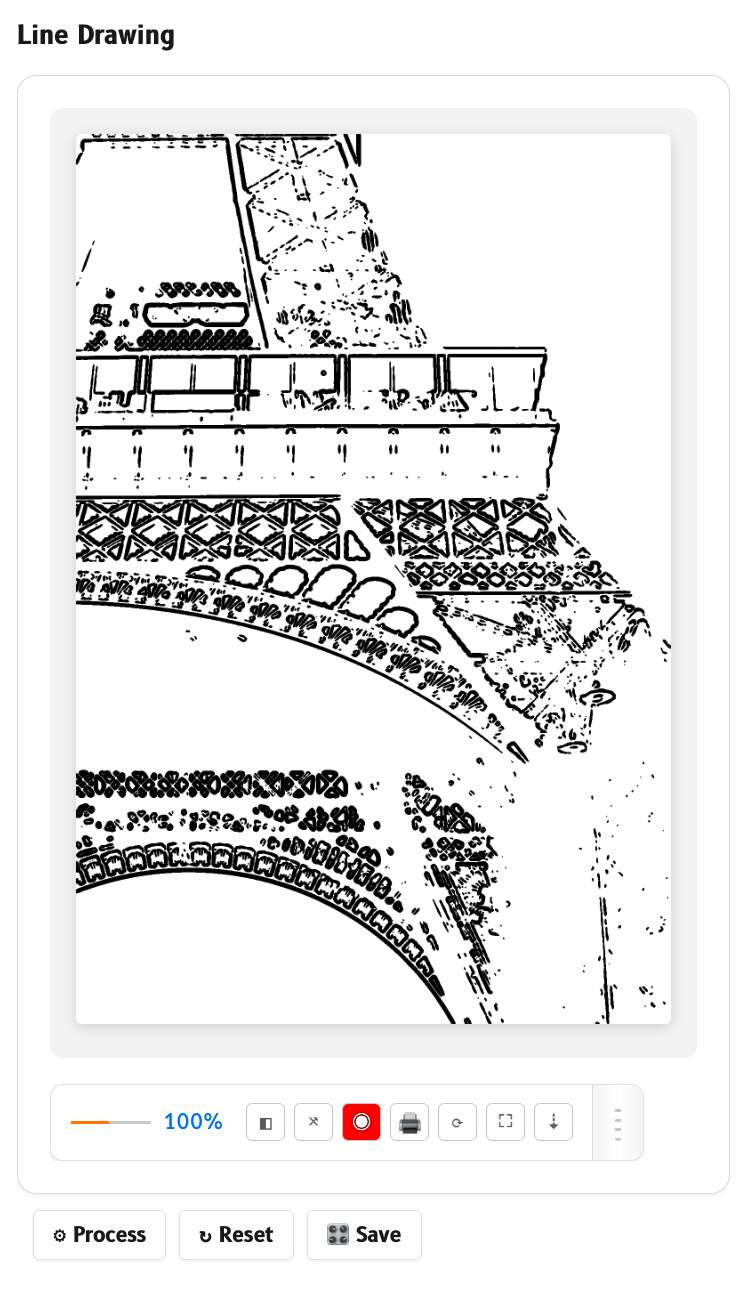
4. Edge analysis (major forms, colour underpinning, line drawings)
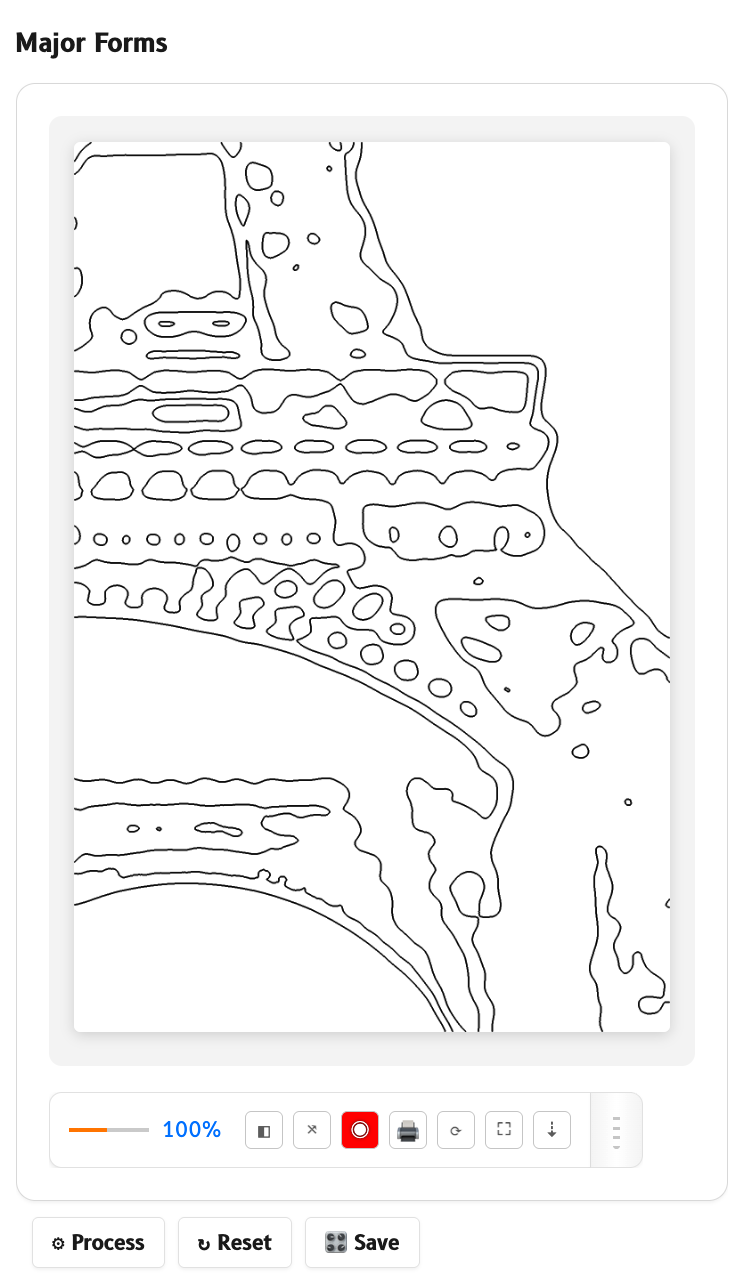
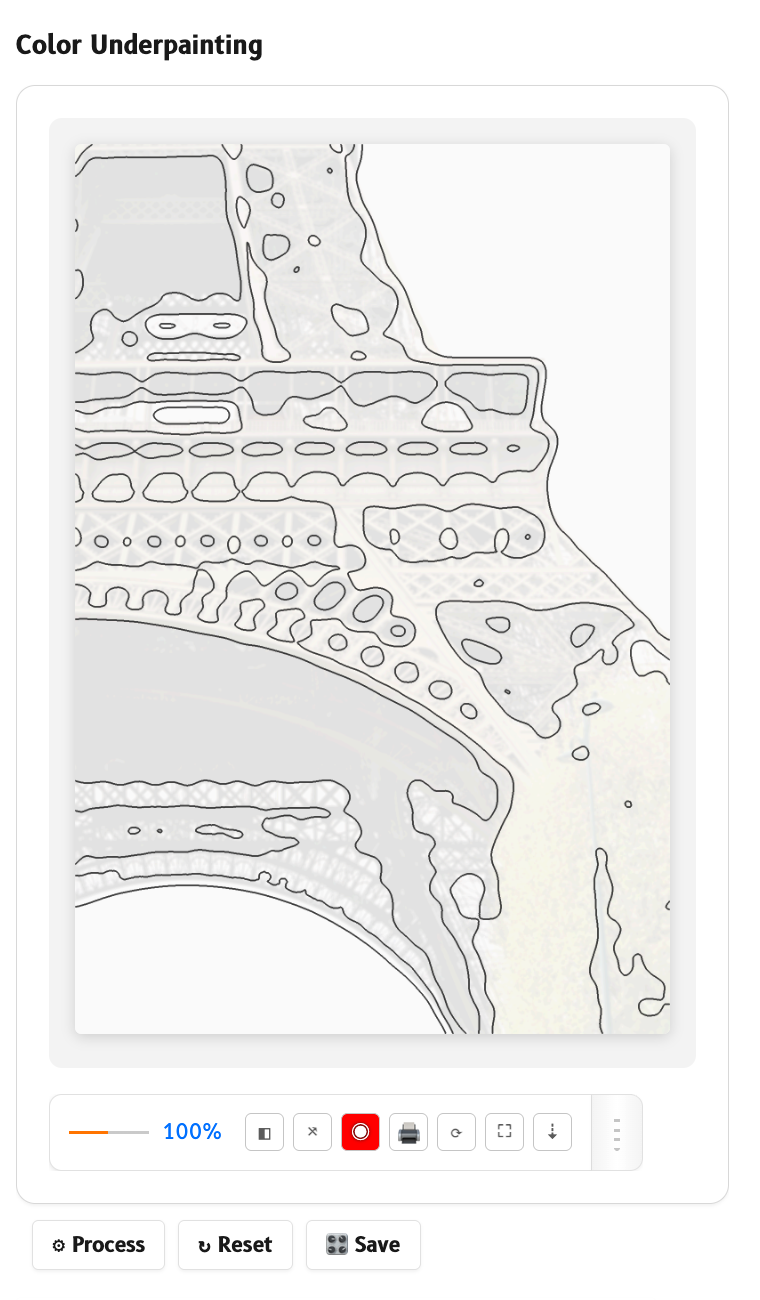
Click the Edges button. Notana identifies hard edges where values change sharply and soft edges where they blend.
Edge major forms are highlighted as bold lines tracing the primary contours of your subject.
Edge colour underpinning adds a subtle colour wash behind the edges, revealing warm versus cool transitions at the boundaries.
Edge line drawings display clean, single‑stroke outlines over the image. You can toggle this on its own to use as a tracing guide or study for line quality.
Conveniently learn every edge in your reference, where forms turn, where they blend, and the temperature shifts that give dimension.
See Notana in Action
From reference to painting in three clicks
Notana lives in your browser toolbar. No desktop app. No account required. Just open any image, click the extension, and start analysing. The whole process takes seconds, not minutes. You stay in your creative flow.
Frequently Asked Questions
You have questions. We have answers. Here's what painters usually ask before adding Notana to their browser.
Do I need to download anything besides the browser extension?
No. Notana is a lightweight browser extension. You install it once from the Chrome, Firefox, or Edge store, and it lives in your toolbar. No desktop software, no separate app, no account required to start.
Can I use Notana on my own photos, not just images I find online?
Yes. Right‑click any image on the web, or upload your own photo directly into Notana’s panel. It works with JPG, PNG, and WebP files. All processing happens locally on your computer — your images never leave your machine.
Does Notana replace learning how to draw or paint?
Not at all. Notana is a tool to help you see better, not a shortcut around technique. It reveals value masses, shape structures, colour relationships, and composition grids that are already in your reference. Your eye and your hand still do the work. Think of it as a patient studio assistant, not a crutch.
Is there a subscription? What does it cost?
The tool is free, and it always will be. Every analysis tool is included at no cost — grayscale conversion, value grouping, posterization, the block‑in generator, edge detection, colour relationships, rule of thirds, golden ratio overlays, palette extraction, all of it. There is no free tier and no paid tier, because there is nothing held back. The only optional extra is settings sync: if you would like your preferences, viewer configurations and saved palettes preserved and carried across your devices, that is $95 a year. It syncs your settings only — your images are never uploaded to our servers, subscribed or not, because all processing happens locally in your browser. It is entirely optional, it unlocks no tools, and Notana works fully without it.
Will Notana slow down my browser?
Notana is extremely lightweight. It only runs when you open the panel on an image. There’s no background process, no tracking, no hidden resource drain. You’ll likely forget it’s even installed until you need it.
I paint in oil or acrylic or watercolour. Is Notana useful for me?
Yes. The analysis tools are medium‑agnostic. Value relationships, shape simplification, colour harmony, and composition apply whether you mix oil, layer watercolour, or block in acrylic. Notana helps you understand your reference photo, no matter what you put on the brush.
What if I need help or have a feature request?
Reach out anytime. The “Get in Touch” section has an email address and social links. Notana was built by a painter, and feedback from other painters is what shapes future updates. You’re not shouting into a void.
All rights reserved © 2026 Notana